
Mobile AI Art: Create Anywhere with AIDrawing.io
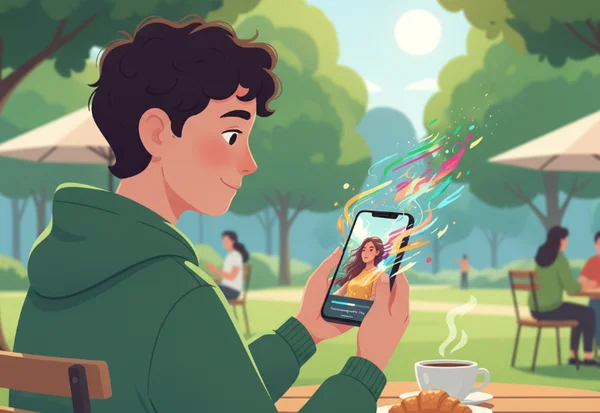
Your creativity shouldn't be stuck at your desk. With your smartphone in hand, you can transform everyday moments into stunning art wherever you are. Whether you are traveling on a train, waiting at a cozy cafe, or attending a live event, inspiration can strike at any moment. In the past, creating high-quality digital art required expensive software and a powerful computer. Today, the landscape has changed. How can you turn your spontaneous ideas into professional art using only your smartphone?
Your creative journey should not be limited by your device. Discover how to harness AIDrawing.io's mobile features to turn your everyday photos into stunning masterpieces anytime, anywhere. By leveraging the intuitive image-to-image technology of our AI drawing generator, you can produce professional-grade art without the need for complex prompts. With just a few taps on your screen, your mobile device becomes a portable art studio.
Optimizing Your Mobile Photos for AI Art
Creating great AI art starts with a high-quality source image. When you are using a mobile phone, there are specific factors to consider that differ from a desktop environment. To get the most out of an online AI drawing tool, you need to ensure your base photo provides the AI with clear information to work with.
Lighting and Composition Tips for Mobile Photography
Natural lighting is essential for great AI art. When shooting portraits or landscapes, try capturing images during the "Golden Hour"—the soft warm light just after sunrise or before sunset. This creates clear shadows and highlights that help the AI understand the depth and texture of your subject.
Composition is equally important. Use the "rule of thirds" on your camera app to place your subject in a visually interesting spot. Avoid cluttered backgrounds that might confuse the AI. A clean, well-composed mobile photo allows the AI to apply styles like "Ghibli" or "Cyberpunk" more effectively, as the core shapes of the image remain distinct.
Mobile Photo Editing Before Upload
Sometimes, a quick edit on your phone can significantly improve the final AI result. You do not need professional software; the built-in editor on your iOS or Android device is often enough. Increasing the contrast can help the AI define edges more clearly. If the photo is too dark, the AI might struggle to "see" the details, leading to a blurry output.
If you are aiming for a specific look, such as a vibrant anime style, try slightly increasing the saturation of your original photo before you try our tool. This gives the AI a "color map" to follow. However, if you want a moody, surrealist piece, you might leave the photo as it is and let the AI handle the enhancements.
File Format and Size Considerations
Mobile phones often use different file formats to save space, such as HEIC on iPhones. While these are great for storage, most web tools prefer standard formats. For the best experience on AIDrawing.io, we recommend using JPG, PNG, or WEBP. Most mobile browsers handle these perfectly.
Keep an eye on file size as well. High-resolution photos produce excellent results, but extremely large files take longer to upload on mobile data. Aim for a balanced file size that allows for create AI art quickly while preserving the essential details needed for style processing.
Mastering the AIDrawing.io Mobile Interface
The mobile version of AIDrawing.io is designed for simplicity. We know that on a smaller screen, every tap counts. The goal is to move from "inspiration" to "finished art" in seconds. Here is how to navigate the platform like a professional mobile creator.
Navigating the Mobile Upload Process
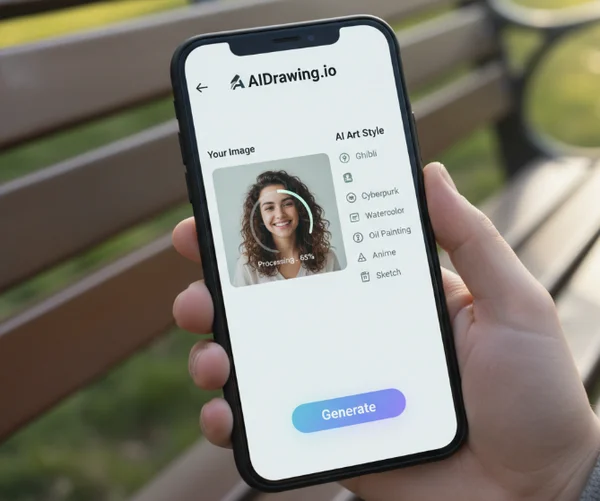
When you open the site on your phone, the upload button is front and center. You have two main choices: you can take a fresh photo using your camera app or select an existing one from your gallery. If you are in a rush, you can even use one of our "Demo Images" to see how different styles look before committing your own photo.
One of the biggest advantages of our platform is the no-prompt workflow. On mobile, typing long, complex descriptions is frustrating. Our image to AI drawing technology removes this barrier. You simply upload your image, and the AI analyzes the visual data automatically, saving you time and effort.
Style Selection on Smaller Screens
Our style library includes popular options like Ghibli, Cyberpunk, and Watercolor. On a mobile screen, these are organized in an easy-to-scroll sidebar. You can browse through them with simple thumb gestures, making it a true one-handed operation.
Some styles are marked as "HOTTEST," indicating they are currently trending among our global community. When you tap a style, you get an instant preview of what that aesthetic looks like. This visual-first approach is perfect for mobile users who want to see results rather than read technical descriptions. If you find a style you love, remember it for your next session to keep your social media aesthetic consistent.
Mobile-Specific Generation Settings
Before you hit the "Generate" button, check your aspect ratio. If you are creating content for Instagram Stories or TikTok, you should select a vertical ratio. This ensures your art fits the screen perfectly without awkward cropping later.
On a mobile network, speed is often more important than high-resolution exports. Our standard generation is optimized for quick viewing and sharing. As you test the service, you will notice that the AI processes the image-to-image conversion rapidly, allowing you to experiment with three or four different styles in a single minute.
Mobile AI Art Workflow: From Inspiration to Sharing
A successful mobile artist doesn't just "make a picture"; they follow a workflow that integrates art into their daily life. Whether you are a social media influencer or a hobbyist, having a plan helps you stay creative.
Quick Inspiration Capture and Art Generation
Imagine you see a beautiful street scene while walking home. Instead of just taking a photo and forgetting it, you can immediately upload it to AIDrawing.io. By the time you reach your front door, you could have a Cyberpunk version of that street ready to show your friends.
This "rapid-fire" approach is what makes mobile AI art so exciting. You can capture moments and transform them into art instantly. For those who feel "creative block," using our free AI drawing generator with daily photos is a great way to keep your artistic muscles flexed without the pressure of a blank canvas.
Mobile Post-Processing and Enhancement
Once the AI generates your image, you can download it directly to your phone. Sometimes, you might want to add a final touch. Many mobile artists use apps like Canva or Phonto to add text, logos, or filters over their AI art.
Adding your own signature or a caption can make the AI-generated piece feel more personal. If you are creating a series of images, consistent post-processing helps build a recognizable brand. The high-quality output from AIDrawing.io provides a solid foundation for any further creative steps you want to take on your device.
Direct Social Media Integration from Mobile
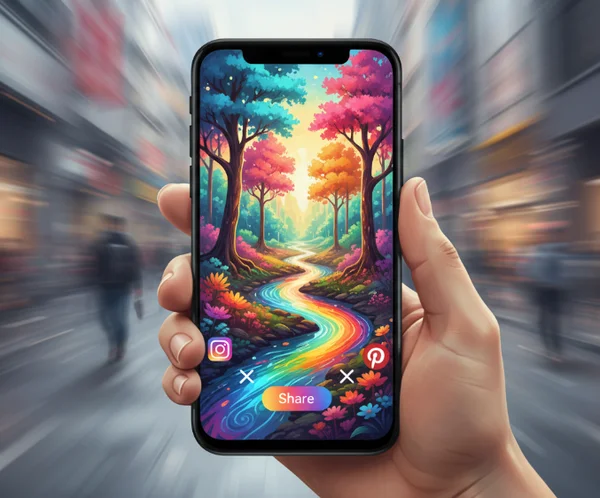
The ultimate goal for many mobile creators is sharing. Because you are already on your phone, transferring your art to Instagram, X (Twitter), or Pinterest is seamless. You don't have to deal with AirDrop or USB cables to get your art from a PC to your phone.
When sharing, consider using hashtags related to AI art to find your audience. Our community loves seeing how people use the online tool to reimagine reality. By creating and posting directly from your mobile device, you stay ahead of trends and keep your feed fresh with unique, AI-enhanced visuals that stand out from standard photography.
Your Mobile AI Art Journey Begins Now
Mobile AI art creation offers more than just convenience—it provides the freedom to create whenever inspiration strikes. With AIDrawing.io's image-to-image technology, the world around you becomes your canvas. You no longer need to master "prompt engineering" or sit at a desk for hours.
From the spontaneous capture of a sunset to the calculated design of a social media post, the power of professional art is now in your pocket. Ready to see your photos in a whole new light? Open your browser, start your creative journey today, and transform your next snapshot into a work of art in seconds. Your next masterpiece is literally just a tap away.
Frequently Asked Questions
How does mobile AI art quality compare to desktop results?
The quality of the AI generation on AIDrawing.io is consistent across all devices. Because the heavy processing happens on our powerful servers and not on your phone’s processor, the final artwork will look just as professional on a mobile screen as it does on a desktop monitor.
Can I use AIDrawing.io completely offline on my mobile device?
No, you need an active internet connection (Wi-Fi or mobile data) to use the tool. The AI algorithms require significant computing power that runs in the cloud. However, once you have generated and downloaded your art, you can view and edit it offline. To get started, simply visit our website while online.
What's the best way to transfer AI art from my phone to other devices?
Since our tool is web-based, you can access your art from any browser. However, the easiest way is to download the image to your phone's gallery and use cloud services like Google Photos, iCloud, or Dropbox to sync it with your tablet or computer.
Does AIDrawing.io have a dedicated mobile app, or is it web-based?
Currently, AIDrawing.io is a highly optimized web-based tool. This means you do not need to download anything from the App Store or Play Store. Just open your mobile browser, go to our homepage, and you can start creating immediately without using up storage space on your phone.
How much data does using AIDrawing.io on mobile consume?
Using the tool is similar to browsing a social media feed with images. Uploading a standard photo and downloading the generated art typically uses a few megabytes of data. It is very efficient, but if you are on a limited data plan, using Wi-Fi is always a good idea for a smoother experience.