
Top Free AI Drawing Generators 2024: No-Prompt Art Tools
Have you ever seen incredible AI-generated art online and thought, "I wish I could do that"? For many, the dream stops there. The reality of complex tools, confusing interfaces, and the mysterious art of "prompt engineering" can feel overwhelming. What if you could create stunning digital art without writing a single line of code or a complex command?
The good news is, you can. A new wave of AI drawing generators is here, designed for simplicity and creativity. These tools don't require you to be a tech wizard; they work directly from your own photos and images. In this guide, we'll explore the best free, no-prompt tools available in 2024. We’ll show you how to turn your favorite pictures into unique masterpieces effortlessly. Get ready to unlock your inner artist with just a few clicks and try our free tool to see how easy it is.
Why Choose a Free No-Prompt AI Art Generator?
The world of AI art is often divided into two camps: text-to-image and image-to-image. While text-based tools like Midjourney are powerful, they present a steep learning curve. No-prompt, image-to-image generators offer a more intuitive and accessible path to creativity.
The Frustration of Prompt Engineering for Beginners
For anyone new to AI art, the biggest hurdle is the "prompt." A prompt is a detailed text description you give the AI to tell it what to create. Crafting a good prompt is a skill. It requires specific keywords, technical parameters, and tons of trial and error.
Trying to get the perfect result can feel like learning a new language. You might spend hours tweaking phrases like "hyper-realistic, 8k, cinematic lighting." Yet, you still get something far from your vision. This complexity can be discouraging and stifles the spontaneous joy of creating.
Unleash Creativity Effortlessly: The No-Prompt Advantage
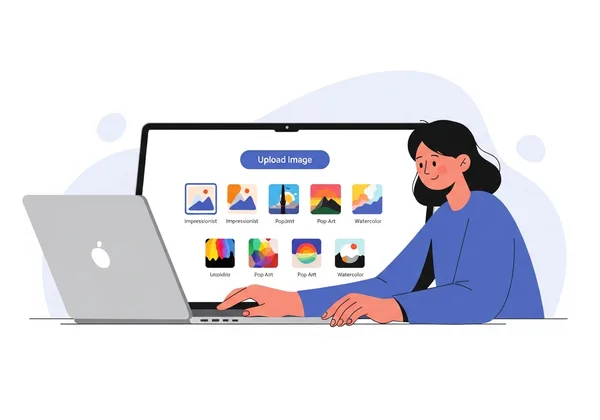
No-prompt AI drawing tools remove this barrier completely. Instead of starting with a blank canvas and a text box, you start with something you already have: a photo, a sketch, or a design. The process is simple and visual. You upload your image, choose an artistic style you like, and let the AI do the rest.
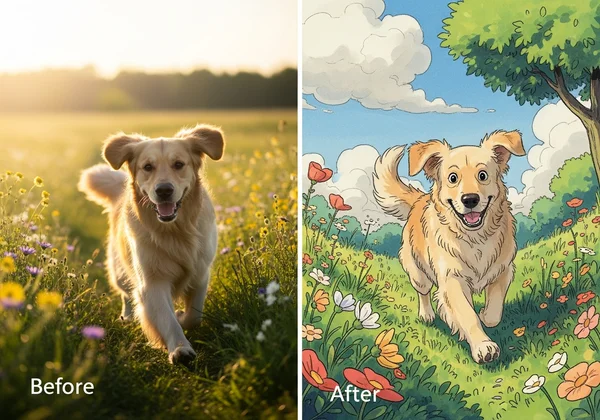
This approach is not just easier; it's a different way to be creative. It’s about reimagining what already exists. You can see what your dog would look like as a Ghibli character or transform a simple vacation photo into a stunning watercolor painting. The results are instant, allowing you to experiment with dozens of styles in minutes, not hours.
Beyond Text-to-Image: The Power of Photo-to-Art Conversion
The ability to convert a photo to art is incredibly powerful. For social media creators, it’s a way to produce unique, eye-catching content that stands out. For designers, it’s a tool for rapid brainstorming and style exploration. And for hobbyists, it’s a fun way to give personal photos an artistic touch.
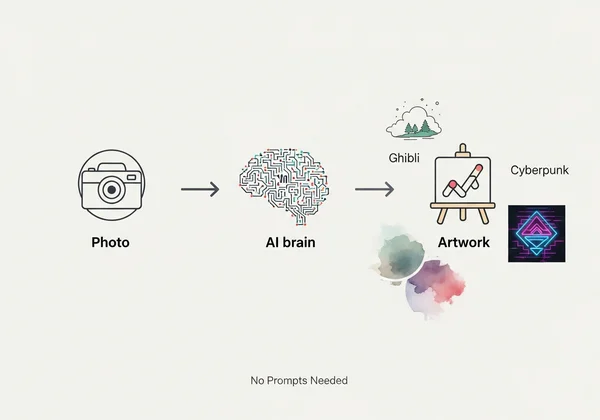
This image-to-image technology, also known as style transfer, focuses on reinterpreting your existing visuals. It keeps your photo's composition and subject intact. Then it adds the colors, textures, and mood of your chosen style. It’s a perfect blend of your personal vision and the AI's artistic flair.
Our Top Picks: Best Free AI Drawing Generators for 2024
We’ve reviewed the top free tools that let you create AI art from your images without writing prompts. Here are our recommendations for 2024.
AIDrawing: Effortless AI Drawing for Everyone
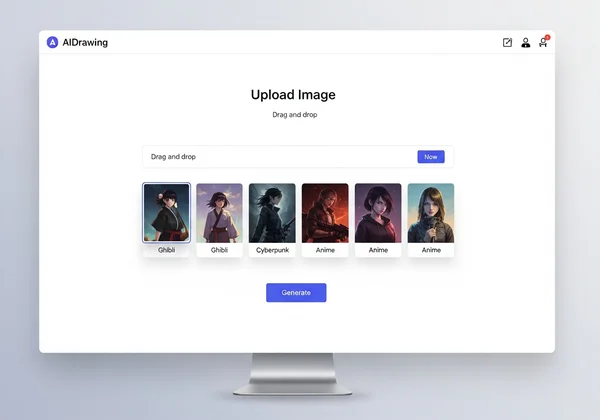
Our AI drawing tool stands out for its incredible simplicity and high-quality results. It is designed from the ground up to be the most accessible AI art generator on the market. The entire process takes just three steps: upload your image, select a style from the curated library, and click "Generate."
What makes it great:
- Zero Learning Curve: Its interface is clean and intuitive. There are no complex settings or technical jargon, making it perfect for absolute beginners.
- Curated Style Library: Instead of generic filters, our generator offers distinct and popular art styles like Ghibli, Cyberpunk, Surrealism, and Anime. These styles are carefully tuned to produce beautiful, coherent results.
- Speed and Efficiency: The tool generates images quickly, allowing for rapid experimentation. You can see a before-and-after comparison instantly and download your creation with one click.
- No Prompts Needed: This is its core strength. It empowers anyone to become an artist by focusing purely on visual transformation.
This no-prompt generator is the ideal choice for social media influencers who need fresh content, designers looking for quick inspiration, and anyone who wants to have fun turning their photos into art. If you want to experience the magic of AI art without the frustration, start creating now.
Competitor A: ArtifyMe App – What It Offers and Its Niche
ArtifyMe is a popular mobile app known for its quick, filter-like transformations. It's designed for users who want to apply artistic effects to their selfies and social media photos directly from their phones.
Key Features:
- Mobile-First Design: Very convenient for on-the-go editing.
- Large Filter Library: Offers a wide variety of effects, from classic painting styles to more abstract patterns.
- Social Sharing Integration: Makes it easy to post creations directly to Instagram, TikTok, and other platforms.
However, its free version is often supported by ads, and the output resolution may be lower. It excels at quick edits but offers less artistic control and fewer distinct, thematic styles compared to more specialized tools.
Competitor B: StyleSwap Studio – Key Features and Ideal Users
StyleSwap Studio is a web-based tool that also operates on the image-to-image principle. It appeals to users who want a little more control without diving into full prompt engineering.
Key Features:
- Style Influence Slider: Allows users to adjust how strongly the chosen style is applied to their original image.
- Custom Style Upload: Some versions allow users to upload their own style image for the AI to replicate.
- Focus on Classic Art: Tends to feature styles based on famous painters like Van Gogh or Monet.
The added controls can be a plus for some, but they also introduce a layer of complexity that might deter true beginners. It strikes a balance between simplicity and control, making it a good option for art students or hobbyists who want to experiment more deeply.
Quick Comparison Table: Features, Strengths, and Limitations at a Glance
| Feature | AIDrawing | ArtifyMe App (Mobile) | StyleSwap Studio (Web) |
|---|---|---|---|
| Ease of Use | ★★★★★ (Extremely Simple) | ★★★★☆ (Easy, with ads) | ★★★☆☆ (Slightly more complex) |
| Core Method | Image-to-Image (No-Prompt) | Image-to-Image (Filters) | Image-to-Image (with sliders) |
| Style Variety | Curated, popular styles (Ghibli, Cyberpunk) | Large library of general filters | Classic art styles, some custom options |
| Best For | Beginners, Social Creators, Quick Inspiration | Quick social media edits, selfies | Hobbyists, users wanting more control |
| Free Tier Limitations | Future premium features locked, high-quality free output | Ads, potential watermarks, lower resolution | Limited generations, may require sign-up |
How to Pick the Right Free AI Drawing Tool for You
Choosing the right tool depends entirely on your goals. With so many great options available, here’s how to decide which one is the perfect fit for your creative journey.
Consider Your Creative Needs: Are You a Social Creator or Hobbyist?
First, think about what you want to create.
- For Social Creators and Marketers: If you need to produce visually striking content quickly and consistently, your priorities are speed, ease of use, and popular, eye-catching styles. A tool like our no-prompt generator is perfect because you can transform a photo for your next post in seconds.
- For Artists and Designers: If you're looking for a tool to spark ideas or quickly visualize a concept in different styles, you need a reliable generator with distinct artistic outputs.
- For Hobbyists and Curious Beginners: If you're just looking to have fun, experiment, and share cool creations with friends and family, simplicity is key. You want a tool that delivers a "wow" moment without any friction.
Assessing Ease of Use, Speed, and Style Variety
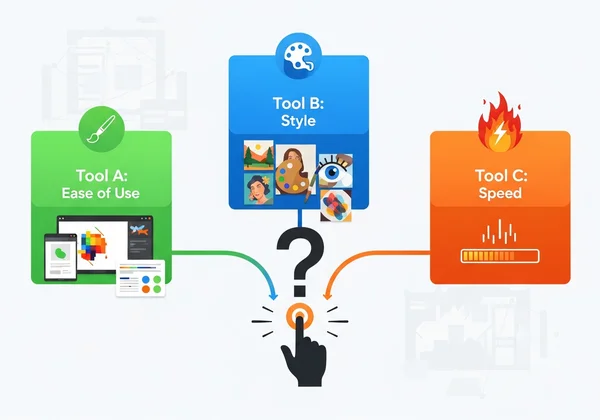
When evaluating a tool, consider these three factors:
- Ease of Use: How quickly can you go from visiting the website to downloading your first creation? The best tools have a minimal interface and a self-explanatory process.
- Speed: AI processing can take time. A good generator delivers results in under a minute, allowing you to stay in a creative flow and try different options without long waits.
- Style Variety: Look for quality over quantity. A tool with a dozen well-crafted, distinct styles is often better than one with a hundred generic filters. The styles should be recognizable and produce aesthetically pleasing results.
Understanding Free Tier Limitations and Future Potential
"Free" doesn't always mean the same thing. Be aware of common limitations in free AI art generators, such as:
- Watermarks: Some tools add their logo to the final image.
- Resolution Caps: Free downloads may be limited to a smaller size.
- Usage Limits: You might be restricted to a certain number of creations per day.
Tools like our AI drawing generator give generous free access. Enjoy high-quality downloads—no watermarks. The presence of locked features for future premium tiers is often a good sign, indicating that the platform is actively developed and sustainable.
Your Art, Reimagined in Seconds
Imagine turning your pet pic into a Ghibli masterpiece or a simple selfie into a Cyberpunk avatar—no skills required. That's the magic of no-prompt AI art. You don't need to learn a new language of keywords or spend hours tweaking prompts. You just need an image and an idea.
Whether you're jazzing up your Instagram feed, brainstorming a new design, or just having fun with family photos, these tools let your creativity shine instantly.
For the ultimate blend of simplicity, speed, and stunning results, we highly recommend giving AIDrawing a try. It’s built to make AI art fun and accessible for everyone.
Ready to stop reading and start creating? Transform your first photo now and see what you can make!
Frequently Asked Questions About Free AI Drawing Generators
What is the best free AI drawing generator without prompts?
For an effortless experience with high-quality, popular styles, our no-prompt AI drawing generator is the best free option. Its simple three-step process (upload, pick a style, generate) makes it the top choice for beginners and social creators who want amazing results without the hassle.
Can I really turn any photo into an AI drawing for free?
Yes, absolutely. Tools like ours are designed to work with most common image formats, like JPG, PNG, and WEBP. You can upload portraits, landscapes, pet photos, or even simple sketches and watch the AI transform them into a specific art style, all completely free.
How do 'image-to-AI-drawing' tools actually work?
These tools use a technology called "neural style transfer." In simple terms, the AI looks at two images: your uploaded photo (the "content") and an artwork (the "style"). It intelligently analyzes the composition of your photo and redraws it using the textures, color palette, and brushstrokes of the style image. It's a clever way of merging content and style to create something entirely new.
Are there any limitations to using free AI art generators?
Yes, most free tools have some limitations to support their service. Common restrictions include a cap on the number of images you can generate per day, a lower maximum output resolution, or the inclusion of a small watermark on the final image. But a great free tool gives you everything you need to create amazing art. You can explore your creativity without spending a dime. To see what's possible, try the free generator and start your artistic journey.