
PNG vs JPG for AI Drawing Inputs
Most people think about style first when they upload an image for AI drawing. File format usually feels like a small detail. In practice, it changes how much clean visual information the generator receives before the style transfer even begins.
That matters on a site built around uploading an existing image, choosing a style, and getting a new artwork back in a few steps. A strong source file inside the image-to-image generator gives the model clearer edges, smoother tones, and fewer distractions to exaggerate.
The good news is that the choice is usually simple. JPG works well for many photos. PNG becomes more useful when the source has line work, flat colors, transparency, or repeated edits behind it.
Why File Format Matters Before Style Transfer Starts
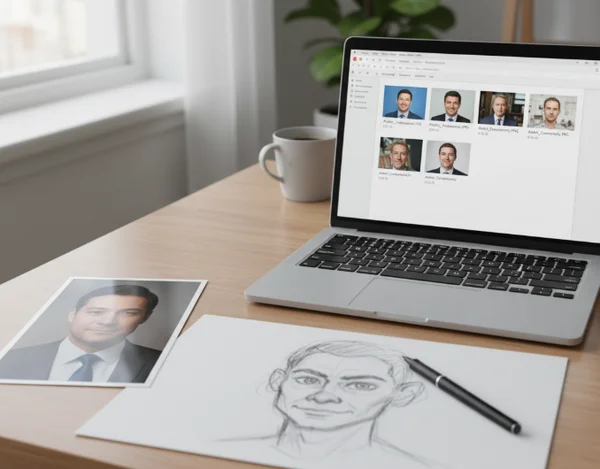
Style transfer does not only add a new look. It also reacts to what is already inside the source image. If the upload has muddy edges, compression blocks, or weak separation between the subject and background, those problems can carry into the final result.
This is why format choice belongs at the start of the workflow instead of the end. A cleaner input makes it easier for the generator to hold onto the parts that matter, such as face shape, outline, sketch lines, clothing folds, or simple background structure.
For a casual photo upload, the difference may be subtle. For a sketch, poster mockup, flat-color illustration, or image that has already been edited several times, the difference can become obvious very quickly.
What PNG and JPG Change in an AI Drawing Workflow
At a practical level, the format affects how much detail is preserved before the image reaches the generator. It does not guarantee a better artwork on its own, but it changes the quality of the raw material the model has to work with.
Why compression artifacts can show up in stylized outputs
The Library of Congress JPEG format description describes JPEG as a format for continuous-tone still images. It also notes that archived JPEG files are generally reduced-data derivatives of uncompressed master images. That makes JPG a normal and efficient choice for photos, especially when the original image already came from a phone or camera in JPG form.
The tradeoff is that JPG is still lossy. If a photo has already been saved, resized, cropped, and saved again several times, small compression artifacts can build up around edges and textured areas. A stylized output may turn those tiny defects into painterly noise, uneven shading, or strange detail that was not noticeable before.
This does not mean JPG is bad. It means the cleanest JPG is usually the best JPG. If the source is a fresh photo with natural gradients and no heavy editing history, it often works perfectly well.
When line-heavy images benefit from cleaner edges
The Library of Congress PNG format description describes PNG as a lossless, portable, well-compressed format for static raster images. It also lists PNG as a preferred format for photographs in digital form and other graphic images in digital form. That combination makes PNG especially useful when preserving exact edges matters more than keeping the file small.
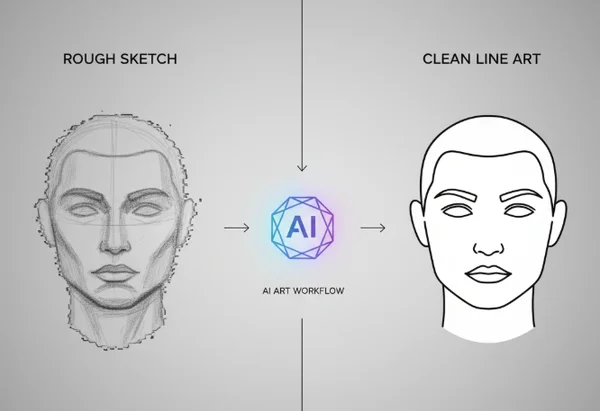
For AI drawing, that matters most with rough sketches, scanned ink lines, flat-color graphics, stickers, simple layouts, and images with transparent or nearly empty backgrounds. When the source depends on clean separation instead of photographic texture, PNG usually gives the generator a steadier starting point.
The style transfer workspace becomes easier to use when the upload already has clean outlines. Instead of spending the first generation correcting basic file damage, the model can focus on the art style you actually want.
Which Format Fits Photos, Sketches, and Flat Graphics
The fastest way to decide is to look at the source image, not the desired style. Ask what kind of information the upload is made of before you think about watercolor, anime, oil paint, or cyberpunk effects.
JPG works best when the source is already a photo
Choose JPG when the upload is a normal photo with soft gradients, natural lighting, and camera-made detail. Portraits, travel photos, casual selfies, and everyday scenes often fall into this group.
JPG also makes sense when the original image is already clean and you are not planning to edit it much before upload. In that situation, converting a solid photo to PNG does not magically create more real detail. It only changes the wrapper around the same source information.
The key is avoiding heavily re-saved JPG files. If a photo has been compressed many times, its weak spots can become more obvious once the art style starts emphasizing texture or contour.
PNG is stronger for sketches, text-light graphics, and high-contrast shapes
Choose PNG when the image depends on crisp boundaries. That includes hand sketches, marker drawings, screenshots with simple graphic elements, collage pieces, and flat-color artwork with clear shape blocks.
Contrast plays a role here too. Section 508 color guidance says images and graphics that convey information should aim for at least a 3:1 contrast ratio whenever possible. For AI drawing inputs, that is a useful reminder to keep sketch lines, silhouettes, and main shapes clearly separated from the background before upload.
PNG also helps when you expect to clean the source first, export again, and then test more than one style. A lossless file gives those repeated preparation steps less chance to soften the edges that the generator needs to read.
A Simple Upload Checklist Before You Generate
A better result often starts with a small decision made before style selection. This checklist keeps the format choice practical instead of turning it into a technical rabbit hole.
Match format choice to the image you are uploading
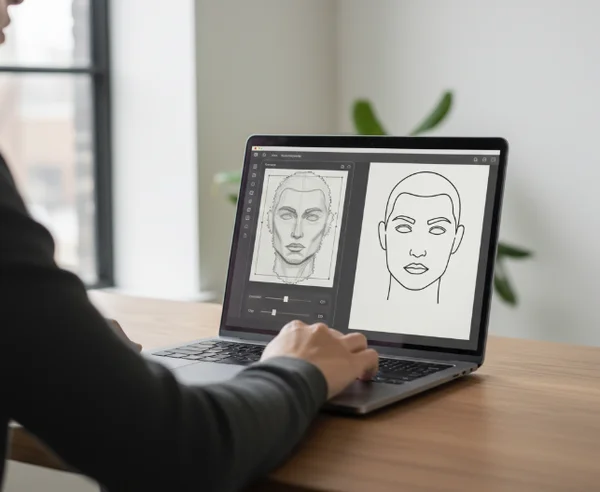
If the source is a fresh camera photo, start with JPG unless you have already edited it heavily. If the source is a sketch, a screenshot, or a graphic with hard edges, start with PNG.
If you have edited a photo several times and the edges already look tired, export one clean PNG version before upload and use that as the source. If the image still looks natural and untouched, the original JPG is often enough.
A simple rule works well: photos can stay JPG when they are clean, while line-heavy or repeatedly edited visuals usually benefit from PNG.
Fix contrast and clutter before choosing a style
Before uploading, remove distractions that the generator may amplify. Crop away empty space, simplify busy backgrounds, and increase the separation between the subject and the surrounding area when needed.
This step matters more than many style menus. A clean upload inside the AI drawing upload flow gives anime, watercolor, oil paint, and other styles a better foundation to work from.
If the source still looks confusing at thumbnail size, it will rarely become clearer after generation. Fix the source first. Then choose the style.
Next Steps for Better AI Drawing Results
The best input format is the one that matches the image you already have. JPG is usually fine for clean photos. PNG is often the safer option for sketches, flat graphics, and files that need cleaner edges.
That small decision can cut a lot of trial and error. It helps the generator spend more effort on style and less effort on cleaning up problems that were baked into the upload.
When the source file is matched to the image type, the rest of the workflow gets easier. Style choices feel more predictable, revisions become faster, and the final artwork usually needs less rescue work.